








Cordless drills have replaced corded models for most users because they combine portability, power, and a rapidly improving battery ecosystem. This guide is for homeowners, DIYers, woodworkers, and pros who need to pick the right drill for their tasks, budget, and tool platform. You’ll learn how motors, batteries, torque, and features affect real-world performance and which choices avoid common buying mistakes.
Read on to make a confident purchase that matches your projects, from furniture assembly to deck building to professional construction.
Key Specifications to Consider
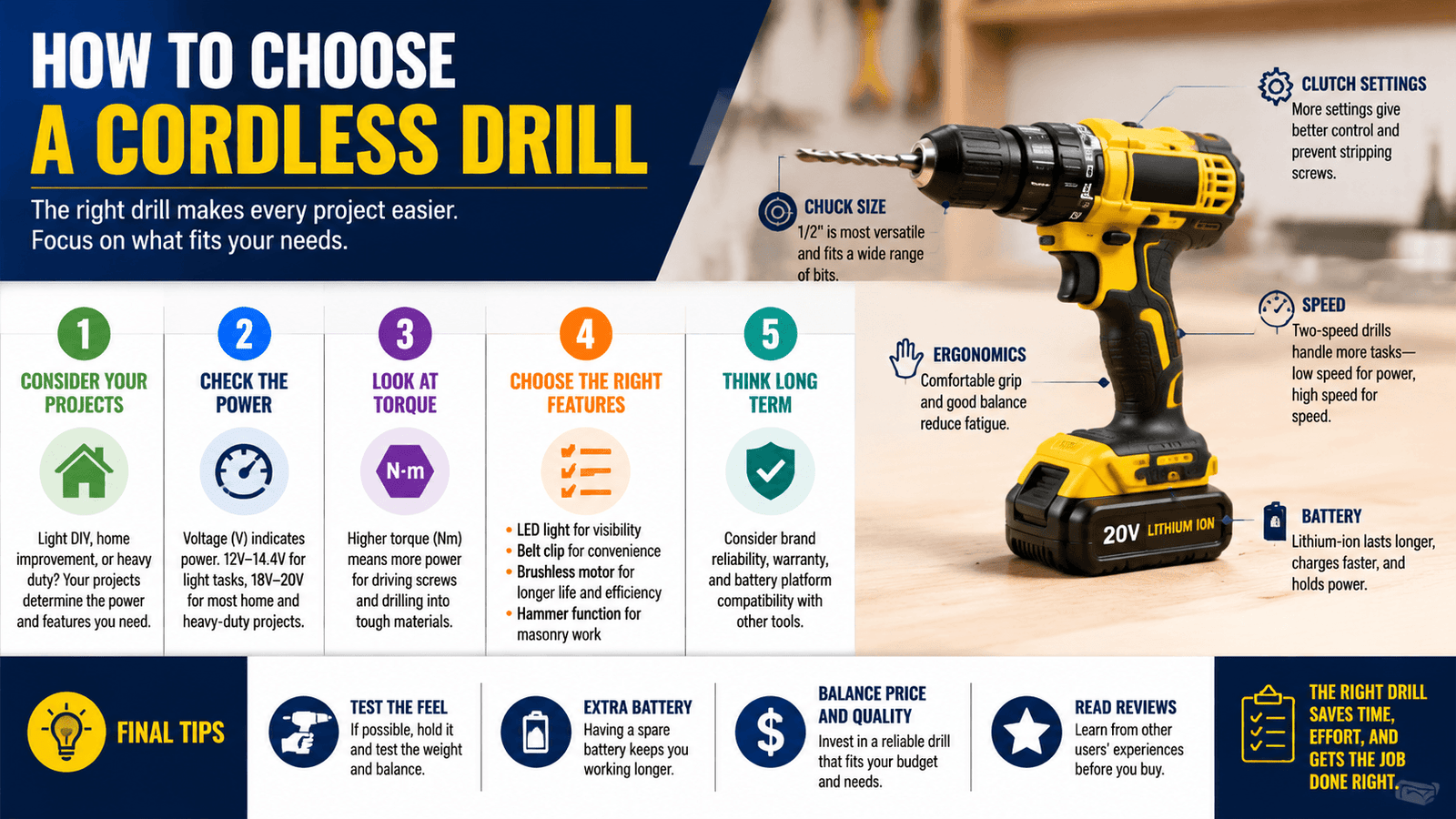
Choosing a cordless drill comes down to power (voltage and torque), motor type, battery capacity, chuck size, speed settings, and build quality. Prioritize what you actually do: light household tasks, woodworking, or heavy-duty construction, then pick features that match those needs, not marketing claims.
Here’s a short checklist of the specs I check first when recommending a drill:
- Voltage and battery platform (compatibility with other tools)
- Motor type (brushless for efficiency)
- Torque rating and clutch settings
- Chuck size and type
- Weight and ergonomics
- Included accessories (extra battery, charger, case)

What Is a Cordless Drill?
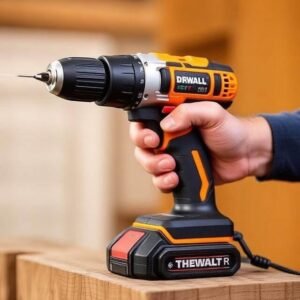
A cordless drill is a handheld power tool that uses a rechargeable battery pack to rotate drill bits and fasteners without a power cord. It includes a motor, gearbox, chuck, clutch, trigger, and battery; some models add a hammer mechanism for masonry. Cordless drills are used for drilling, driving screws, and light demolition in wood, metal, plastic, and masonry.
Explanation
- Components: motor (brushed or brushless), gearbox, chuck, adjustable clutch, battery, and often a two-speed selector and LED work light.
- Common uses: furniture assembly, hanging drywall, drilling pilot holes, driving lag bolts, and basic masonry with a hammer function.
- Difference from corded: cordless offers mobility and convenience; corded often gives steady maximum power for continuous heavy-duty work.
- Relationship to impact drivers: impact drivers excel at driving screws; drills handle drilling and lighter fastening with better bit control.
Why Choosing the Right Cordless Drill Matters
Picking the right cordless drill affects job speed, safety, tool lifespan, and overall cost. The correct drill improves finished work, reduces fatigue, and integrates into a battery platform that saves money over time. The wrong drill leaves you underpowered or wasting money on features you won’t use.
Detailed reasons
- Performance: a properly sized motor and torque rating finish tasks faster with fewer stripped screws or stalled bits.
- Safety: the right clutch and ergonomics reduce kickback, wrist strain, and accidental damage.
- Long-term cost: investing in a battery platform you’ll keep saves money vs. buying a cheaper standalone drill with proprietary batteries.
- Productivity: brushless motors and higher Ah batteries reduce downtime.
Cordless Drill vs Drill Driver vs Hammer Drill
A drill, a drill driver, and a hammer drill are related but built for different tasks. Use a drill driver for general drilling and screwdriving, a dedicated drill when you need a wider chuck and higher torque, and a hammer drill when you must bore into masonry.
Comparison table
| Feature / Type | Drill Driver | Cordless Drill | Hammer Drill |
|---|---|---|---|
| Primary use | Driving screws & small holes | Drilling & driving across materials | Drilling into concrete/brick |
| Hammer function | No | Sometimes (combi) | Yes |
| Typical torque | 100–400 in-lb | 200–800+ in-lb | 300–1200+ in-lb |
| Weight | Light | Medium | Medium–Heavy |
| Chuck size | 3/8″ common | 3/8″–1/2″ | 3/8″–1/2″ |
| Price | Low–Medium | Medium | Medium–High |
| Advantage | Compact, affordable | Versatile | Masonry capability |
| Disadvantage | Limited torque for big bits | May lack hammer on cheap units | Heavier, more vibration |
Practical note: Many users carry both a drill driver (or impact driver) and a 1/2″ cordless drill that offers higher torque and accepts larger bits.
Understand Drill Voltage
Voltage roughly indicates the potential power envelope of the tool, but it’s not the only factor; motor design, gearing, and battery capacity matter equally. 12V suits light tasks, 18V/20V Max is the sweet spot for most homeowners and pros, and 36V offers extra torque for heavy-duty work.
Drill voltage indicates the power class and determines suitability for specific tasks: 12V for light household jobs, 18V/20V Max for most DIY and professional work, and 36V (or higher) for heavy lumber, large holes, and extended use. Choose voltage along with brushless motors and battery Ah for real-world performance.
Voltage comparison table
| Voltage | Typical use | Pros | Cons |
|---|---|---|---|
| 12V | Furniture assembly, light drilling | Lightweight, lower cost | Lower torque, shorter runtime |
| 18V / 20V Max | Most DIY, professional tasks | Best balance of power & weight | Slightly heavier than 12V |
| 36V | Heavy construction, long runtimes | High torque, sustained power | Heavier, higher cost, fewer compact tools |
Recommendation: For most buyers pick an 18V/20V Max brushless drill with at least one 2.0, 3.0 Ah battery. Contractors who do heavy framing or metalwork should evaluate 36V or high-performance 18V platforms with high-Ah batteries.
Brushless vs Brushed Motors
Brushless motors offer better efficiency, longer life, and improved runtime; brushed motors are cheaper and still fine for occasional home use. For frequent use or pro work, a brushless motor returns measurable advantages in power per battery charge and durability.
Brushless motors use electronic commutation for higher efficiency, more torque-to-weight, and reduced wear. Brushed motors are simpler and cheaper but run hotter, wear brushes, and offer less runtime. Choose brushless if you want longer runtimes, lower maintenance, and better performance under load.
Comparison table
| Aspect | Brushless | Brushed |
|---|---|---|
| Efficiency | High | Lower |
| Heat buildup | Lower | Higher |
| Battery life | Longer | Shorter |
| Maintenance | Minimal | Periodic brush replacement |
| Cost | Higher | Lower |
| Recommended for | Frequent/pro users | Occasional homeowners |
Real-world tip: A brushless 18V drill with a quality 3.0 Ah battery will outperform a brushed 20V Max with the same Ah under load and last longer in heavy use.
Battery Types Explained
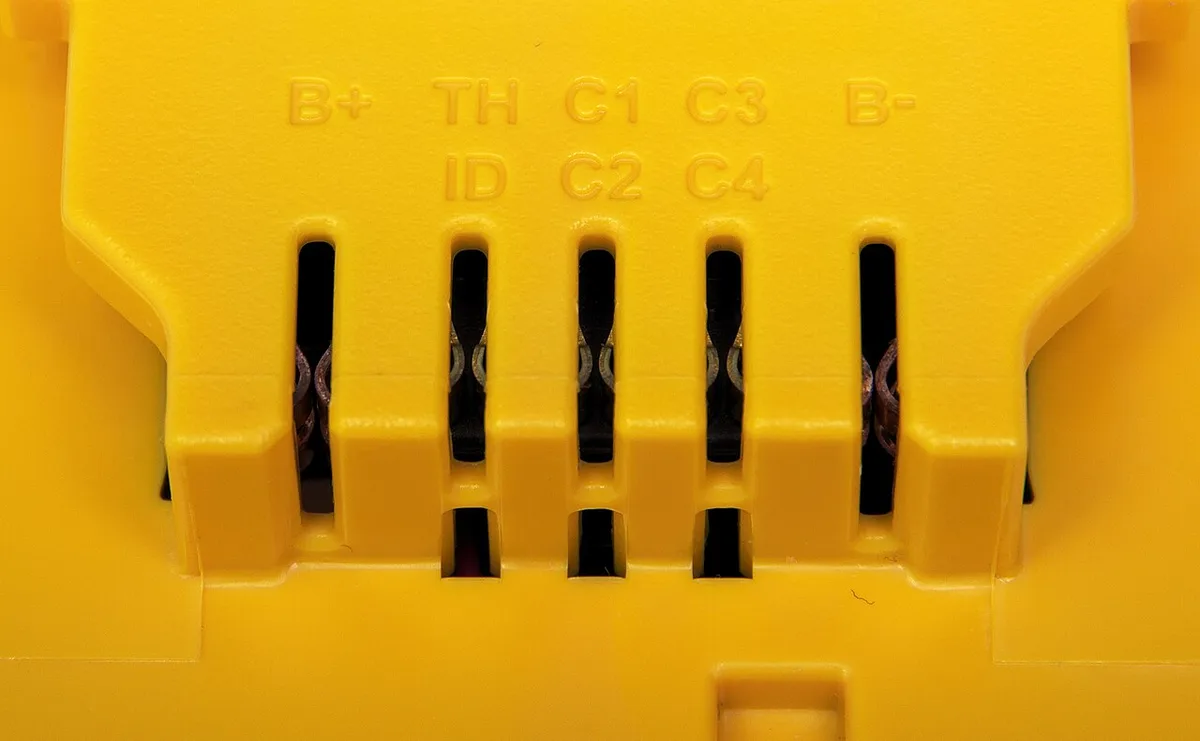
Most modern cordless drills use Lithium-Ion batteries. Older NiCd cells are heavier and have memory; Li-ion offers higher energy density, lower weight, and no memory effect. Key specs are amp-hours (Ah) and watt-hours (Wh), which determine runtime, and the battery management system (BMS), which protects cells.
40, 60-word answer:
Lithium-Ion is the current standard: lighter, higher energy, and longer lasting. NiCd is obsolete for new buyers. Amp-hours (Ah) measure capacity; watt-hours (Wh) measure stored energy.
Higher Ah/Wh gives longer runtime, but motor efficiency and tool settings determine actual job time.
Battery comparison table
| Battery Type | Pros | Cons |
|---|---|---|
| Lithium-Ion (Li-ion) | Lightweight, high energy, no memory | Costlier, sensitive to extreme temps |
| Nickel-Cadmium (NiCd) | Durable, tolerant of abuse | Heavy, memory effect, rare now |
Runtime and capacity
- Ah (amp-hour): indicates capacity. 2.0 Ah vs 5.0 Ah, the 5.0 Ah lasts longer between charges.
- Wh (watt-hour): voltage × Ah gives actual energy stored; useful when comparing cross-voltage platforms.
- Charging speed: rapid chargers can top a battery faster but can generate heat; BMS helps manage charge.

Compatibility and ecosystem
- Prioritize a platform (e.g., DEWALT, Milwaukee, Makita) so batteries fit multiple tools.
- Check whether the battery is “Max” nominal (20V Max equals 18V nominal), manufacturers use marketing voltage.
Manufacturer battery care: see battery care pages like DeWalt for charging and storage recommendations.
What Torque Means
Torque is the rotational force the drill applies, measured in inch-pounds (in-lb) or newton-meters (Nm). Higher torque drives larger screws and drills big holes; adjustable clutch settings let you control torque so you don’t overdrive fasteners or strip threads.
Torque measures rotational force and determines how well a drill drives screws or bores large holes. Soft torque settings handle small screws and delicate materials; full torque handles lag bolts and dense hardwood. Torque figures matter, but gear ratios, motor type, and sustained power under load tell the real story.
Explanation and examples
- Soft torque: clutch settings 1, 10 for precise driving in trim or cabinetry.
- Hard torque: maximum torque for lag bolts, large hole saws, and driving threaded rods.
- Practical numbers: a general-purpose 18V drill might offer 300, 600 in-lb; higher-end models exceed 1,000 in-lb.
- Clutch: mechanical clutch disengages drive at set torque to prevent stripping.
Pro tip: For repetitive fastening use an impact driver; for drilling holes and precision tasks use a drill with clutch control.
Speed Settings (RPM)
Speed determines cutting rate. Low speed gives higher torque for driving; high speed is better for drilling small holes. Variable triggers and two-speed gearboxes deliver control for different materials and bit sizes.
RPM controls how fast the chuck spins. Low speed (0, 600 RPM) gives torque for driving screws and boring big holes; high speed (1,200, 2,000+ RPM) drills small bits efficiently. Variable triggers and a two-speed gearbox let you match speed to material and bit size for cleaner holes and longer bit life.
Details
- Low speed: use for screws, large bits, and applications needing torque.
- High speed: use for small-diameter drilling and metal or plastic.
- Variable trigger: lets you modulate speed smoothly from zero to max.
- Electronic speed control: some drills maintain RPM under load (useful with brushless motors).
Chuck Size and Chuck Type
The chuck holds the bit. Common sizes are 1/4″, 3/8″, and 1/2″. Keyless chucks let you swap bits quickly; keyed chucks tighten more securely and are common on heavy-duty drills.
Chuck size determines the largest shank you can use and influences flexibility: 1/4″ for driver bits, 3/8″ for general use, 1/2″ for large-diameter bits. Keyless chucks offer fast changes; keyed chucks grip tighter for heavy drilling. Match chuck size to your typical bit types and fastening needs.
Chuck sizes table
| Chuck Size | Common use | Max bit shank | Notes |
|---|---|---|---|
| 1/4″ | Impact driver bits | 1/4″ hex | Fast bit changes, limited drilling |
| 3/8″ | General purpose | 3/8″ | Most homeowners’ drills |
| 1/2″ | Heavy duty | 1/2″ | For large bits, augers, hole saws |
Keyless vs keyed
- Keyless: quick; one-hand operation; slightly less torque grip on cheap models.
- Keyed: stronger clamp; preferred when using large drill bits or high-torque applications.
Weight and Ergonomics
A drill’s weight and balance affect fatigue. Lighter, well-balanced drills with comfortable grips make long tasks easier. For heavy tasks, a heavier drill with better torque might be necessary, but plan breaks and proper grip.
Weight and ergonomics determine user comfort and control. Lighter drills reduce fatigue for overhead and long sessions; balanced center of gravity and soft-grip handles minimize vibration and strain. For high-torque work, expect heavier tools, trade comfort for capability and add side handles when needed.
Practical considerations
- Grip diameter: smaller hands need smaller barrels for control.
- Balance: battery placement affects center of gravity; back-heavy tools can be harder to steady.
- Vibration: mitigate with soft grips, anti-vibration handles, or intermittent use.
- Try before buying: hold the drill with a battery installed to judge balance and comfort.
Features Worth Paying For
Extra features can improve job speed, safety, and convenience: LED lights, electronic brake, metal chuck, belt hook, side handle, smart electronics, and battery fuel gauges all add value in real tasks.
Features like LED work lights, electronic brakes, metal chucks, belt clips, side handles, and battery charge indicators boost usability and safety. Smart features, tool communication with batteries or Bluetooth, add convenience for professionals. Buy the features that solve real problems you face; don’t overpay for flashy but unused extras.
Feature checklist table
| Feature | Why it matters |
|---|---|
| LED work light | Illuminates dark workspaces |
| Electronic brake | Stops bit quickly for control |
| Metal chuck | Durable, better grip |
| Belt hook | Keeps tool at hand |
| Side handle | Control for high torque |
| Battery indicator | Avoid mid-job surprises |
| Smart electronics | Data, diagnostics for pros |
Examples
- Electronic brake: prevents overdriving screws when switching to tight fits.
- Metal chuck + 1/2″ capacity: useful if you’ll use hole saws.
- Battery fuel gauge: essential when working away from charging stations.
Choosing a Drill for Different Users
The right drill depends on user needs. Homeowners need compact, lightweight models; pros need durable, serviceable tools on a shared battery platform. I recommend different specs based on the trade.
Match the drill to your primary tasks: compact 12V/18V for homeowners and beginners, brushless 18V/20V Max with higher Ah for serious DIY and woodworkers, and high-torque 18V/36V brushless platforms with robust battery ecosystems for contractors and pros. Consider weight, chuck size, and serviceability.
Recommendations table
| User | Recommended voltage & features | Why |
|---|---|---|
| Homeowner | 12V–18V, 2.0–3.0 Ah, brushless optional | Lightweight, enough power for repairs |
| DIY user | 18V brushless, 2–4 Ah | Versatile across projects |
| Woodworker | 18V brushless, 1/2″ chuck option | Precise control, larger bits |
| Mechanic | 12V–18V compact, high torque | Tight spaces, controls |
| Electrician/Plumber | 12V–18V compact, bright LED | Tight spaces, overhead work |
| Contractor/Builder | 18V/36V brushless, multiple batteries | Durability, runtime, power |
Examples
- Furniture assembly and hanging pictures: 12V or compact 18V drill driver.
- Deck building: 18V brushless drill with 1/2″ chuck and side handle.
- Masonry anchors and concrete: Hammer drill with higher torque or SDS hammer depending on anchors.
Best Battery Platform Strategy
A battery platform ties multiple tools together; picking the right ecosystem matters more than the drill body. Buy into a platform used by several tools you plan to own for long-term savings.
Batteries drive long-term cost and flexibility, pick a major platform (Milwaukee, DEWALT, Makita, Bosch) and stick with it. One shared battery across tools lowers upfront cost and charging logistics. Match platform to available tools you’ll need and prefer the platform with local service and parts.
Platform considerations
- Ecosystem breadth: Milwaukee, DEWALT, Makita, and Ryobi have broad tool lines.
- Battery interchangeability: confirm cross-compatibility only within the brand’s system.
- Future expansion: contractors should favor professional platforms with specialty tools.
- Battery investment: plan to own 2, 4 batteries per drill for continuous work.
Pro tip: A 5.0 Ah high-capacity battery is great for long job days, but carry a smaller spare for mobility.
Common Mistakes Buyers Make
Buyers often choose based on marketing rather than actual requirements. Avoid these errors.
Common mistakes include buying for headline voltage, ignoring battery ecosystem, picking the wrong chuck size, underestimating torque needs, skipping brushless motors for pro use, and not testing ergonomics. These errors lead to underpowered tools, wasted money, and more downtime.
12 common mistakes
- Choosing highest voltage without checking motor efficiency.
- Buying a drill outside a battery ecosystem.
- Ignoring chuck size needed for hole saws or large bits.
- Skipping brushless for heavy use.
- Not checking clutch settings; overdriving screws.
- Buying by marketing claims (max volts) not real-world torque.
- Buying too light for repetitive heavy tasks.
- Neglecting to buy spare batteries.
- Overpaying for smart features you won’t use.
- Not testing weight with a battery installed.
- Buying without considering after-sales service.
- Failing to match drill type to material (e.g., using non-hammer for concrete).
Warning: Price alone doesn’t guarantee the right performance. Balance budget with the right specs.
Maintenance Tips
Proper maintenance extends tool life. Store batteries correctly, clean the chuck, and use manufacturer-recommended chargers.
Maintain drills by storing batteries cool and partially charged, cleaning chucks and vents, inspecting brushes on brushed motors, using proper chargers, and keeping contacts clean. Regular checks and simple care, lubricating the chuck, removing dust, and rotating batteries, keep performance consistent and reduce long-term costs.
Maintenance schedule table
| Task | Frequency | Action |
|---|---|---|
| Battery storage | Store at ~40–60% charge | Cool, dry, avoid freezing/heat |
| Clean vents & exterior | After heavy use | Blow out dust, wipe with dry cloth |
| Chuck care | Monthly/after dusty jobs | Open/close, apply light oil, wipe |
| Charger & contacts | Monthly | Clean terminals with dry cloth |
| Motor brushes | Annual (if brushed) | Inspect & replace if worn |
| Deep service | Yearly (pro) | Brand service center check |
Charging habits
- Avoid leaving Li-ion on the charger long-term.
- Use the manufacturer’s charger and follow BMS guidance.
- Rotate batteries: use and charge evenly to keep cells balanced.
Storage
- Remove battery from tool for long-term storage.
- Store in dry, mild-temperature location away from metal objects.
Top Cordless Drill Models Compared
I compared popular models across brands to show trade-offs between price, performance, and features. These picks represent reliable platforms for homeowners and professionals.
Top models balance power, weight, and battery ecosystem. For homeowners, compact 18V or 12V models from Ryobi, BLACK+DECKER, and Craftsman offer value. Pros often favor DEWALT, Milwaukee, Makita, and Bosch brushless 18V machines for durability and service.
Model choice should match your platform, torque needs, and budget.
Comparison table (high-level)
| Model Example | Brand | Voltage | Motor | Best for |
|---|---|---|---|---|
| DCD791 | DeWalt | 20V Max | Brushless | Pros & serious DIY |
| M18 Compact | Milwaukee | 18V | Brushless | Tradespeople |
| LXT 18V | Makita | 18V | Brushless | Woodworking & pros |
| Ryobi 18V ONE+ | Ryobi | 18V | Brushed/Brushless | Homeowners & DIY |
| BD | BLACK+DECKER | 20V | Brushed | Budget homeowners |

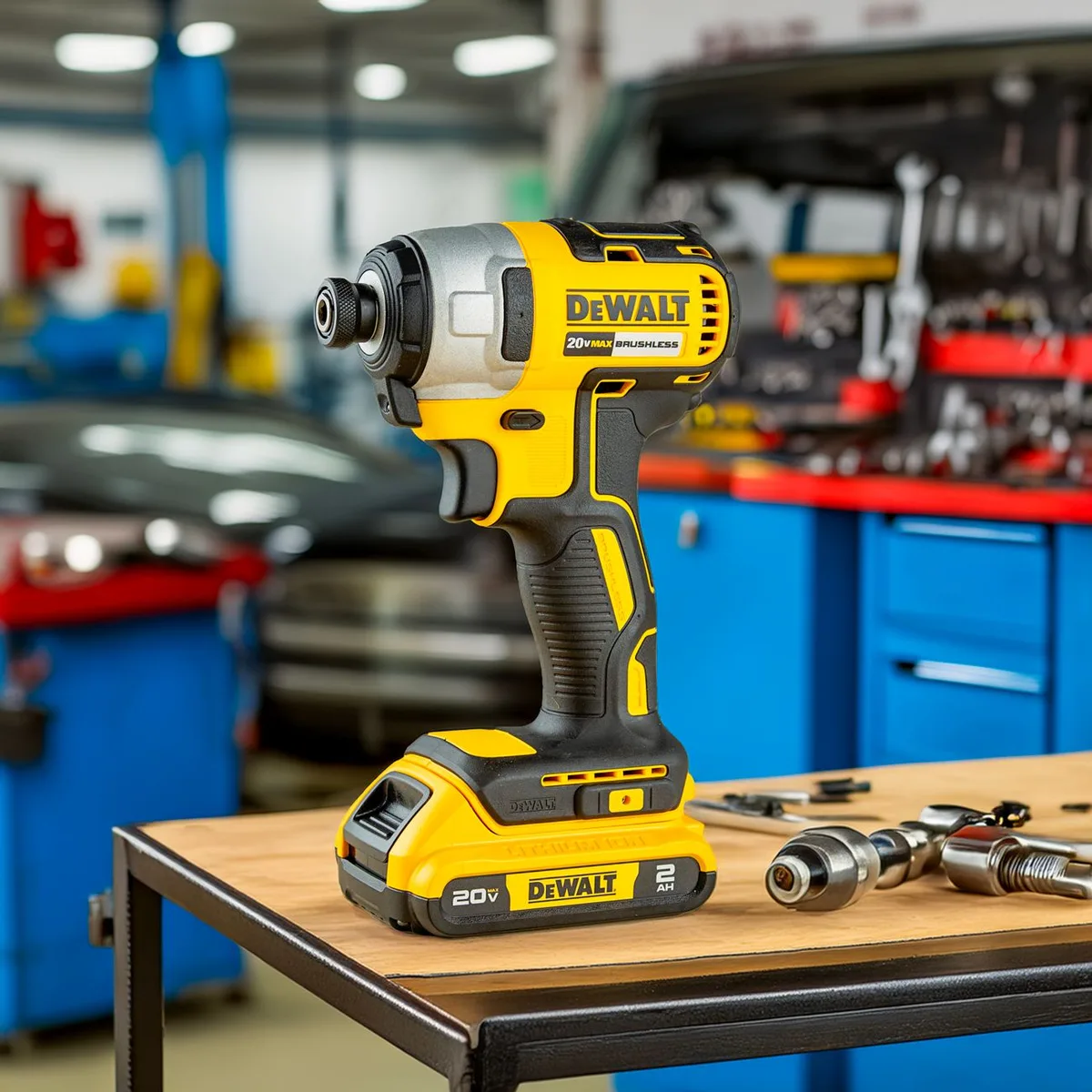
Note: For specs, consult manufacturer pages; brand ecosystems affect long-term tool ownership. See DeWalt for official specs and warranty info.
Feature Checklist Before You Buy
Run a pre-purchase checklist: battery platform, voltage, motor type, torque, chuck size, included batteries and charger, weight, warranty, and local service. Test for comfort, trigger responsiveness, and LED light placement. A short list prevents impulse buys and ensures you get the right tool for your job and budget.
Buying Checklist
- Which battery platform is it and do I own other tools on it?
- Voltage and motor type (brushless preferred for frequent use)
- Torque rating and clutch range
- Chuck size and type
- Included batteries and charger speed
- Weight and grip comfort
- Warranty length and service network
- Accessories: belt hook, case, side handle
Decision tree (short)
- Need for masonry? -> Yes: choose hammer drill. No: standard drill.
- Long runtimes? -> Yes: choose higher Ah battery or 36V.
- Tight spaces? -> Choose compact 12V/18V model.
- Frequent fastening? -> Also buy an impact driver.
Myth vs Fact
Separating marketing from reality saves you money. Voltage isn’t the whole story; Ah and motor design matter. Brushless offers measurable gains in runtime and longevity.
Bigger batteries increase runtime but add weight. Know these facts before choosing.
Common myths
- Myth: Higher voltage always means more power. Fact: Voltage helps, but motor design, gearing, and Ah determine usable power.
- Myth: Brushless is unnecessary for homeowners. Fact: Brushless improves runtime and heat management even for frequent DIYers.
- Myth: More Ah is always better. Fact: Higher Ah gives runtime but increases weight; match to task duration.
Decision Tree: Which Drill Should You Buy?
Choose by primary tasks: light household and occasional assembly -> compact 12V or 18V drill driver; general DIY and woodworking -> 18V/20V Max brushless 1/2″ chuck; construction and heavy-duty -> 18V/36V professional brushless platform with multiple high-Ah batteries.
Decision steps
- Primary task: driving screws vs drilling big holes vs masonry.
- Work frequency: occasional vs daily professional.
- Mobility needs: compact for tight spaces; full-size for torque.
- Budget: set hardware budget and platform expansion budget.
- Buy at least two batteries and a fast charger for pro or frequent use.
Common Safety Tips
Use eye protection, hearing protection for heavy use, clamp workpieces, remove loose clothing and jewelry, and use the correct bit for the material. Let tool come to a full stop before setting it down, and follow manufacturer battery safety for charging and storage.
Key safety points
- Wear safety glasses and gloves when necessary.
- Use the clutch to avoid sudden bit grabs.
- For masonry use appropriate PPE and a hammer drill with the right masonry bits.
- Follow battery safety, don’t puncture or expose batteries to fire.
For workplace safety standards, refer to OSHA recommendations: OSHA.
Common Mistakes Buyers Make (Recap with Solutions)
Avoid buying by headline specs alone. Match chuck size, battery ecosystem, motor type, and torque to real tasks. Buy spare batteries, test ergonomics, and pick a brand with local service.
These fixes prevent most buyer’s remorse.
Quick fixes
- If you bought a low-voltage drill and struggle with torque: upgrade to 18V brushless.
- If batteries die quickly: buy higher Ah or extra packs.
- If drill is heavy: choose a compact model for overhead work.
Maintenance Schedule
Set a simple maintenance routine: monthly cleaning, quarterly battery rotation, annual service for heavy users. Keep the chuck clean and lightly oiled, use manufacturer chargers, and inspect brushes on brushed motors. Simple care prolongs tool life and prevents failures on the job.
Maintenance schedule table
| Interval | Task |
|---|---|
| After each use | Wipe down, remove debris from vents and chuck |
| Monthly | Clean contacts, inspect battery health, check chuck operation |
| Quarterly | Rotate batteries, deep-clean vents with compressed air |
| Annually | Service brushes (if brushed), inspect gearbox and switch |
| As needed | Replace worn bits, maintain side handle and belt hooks |
Frequently Asked Questions
What voltage cordless drill should I buy?
For most users, an 18V/20V Max brushless drill offers the best balance of power, weight, and tool ecosystem. Choose 12V only for light, infrequent tasks or tight spaces. Consider 36V or high-performance 18V setups if you do daily heavy drilling or framing.
Is 12V enough?
12V is enough for furniture assembly, hanging pictures, and light drilling. It wins on compactness and lower cost. It isn’t ideal for large-diameter holes, lag bolts, or prolonged heavy work.
If your projects include deck building or construction, go 18V.
Are brushless drills worth it?
Yes for frequent users. Brushless motors deliver better runtime, cooler operation, and longer life. They cost more upfront but pay back in battery life and performance under load.
For occasional weekend use, a brushed unit can suffice.
Can a cordless drill drill concrete?
Some cordless hammer drills can drill small holes in concrete with masonry bits. For larger anchors or frequent concrete work, use an SDS hammer drill or corded hammer for efficiency and durability.
How long do drill batteries last?
Li-ion batteries typically retain good capacity for 2, 4 years with normal use. Battery run time per charge depends on Ah and load, higher Ah equals longer runtime. Proper storage and avoiding extreme temperatures prolong lifespan.
Is higher torque always better?
Higher torque helps with big fasteners and tough materials but can be overkill for light work, higher torque often means heavier tools. Controlled torque via clutch is more important for precision to avoid stripped screws or damaged materials.
Which chuck size is best?
3/8″ is versatile for most homeowners; 1/2″ is better for heavy drilling and larger bits. 1/4″ hex chucks are common for impact drivers and quick bit changes. Match chuck to the largest bit you expect to use.
What is the difference between 18V and 20V Max?
20V Max is a marketing label; nominal voltage for those batteries is 18V. 20V Max refers to the fully charged cell peak. Treat them as equivalent when comparing real-world performance and focus on Ah and motor efficiency.
How many batteries should I own?
A: For regular use own at least two batteries per drill, one in use, one charging. Professionals should carry 3, 4 batteries to avoid downtime. Match Ah to job length: multiple 2, 3 Ah batteries or fewer 5, 6 Ah batteries work.
Can one battery fit every drill?
A: Only if drills are from the same brand and compatible platform. Cross-brand compatibility is rare. Choose a platform early and stick with it to ensure battery interchangeability across tools.
Are brushless drills harder to repair?
Brushless drills rely on electronics and can be more expensive to repair, but they have fewer mechanical wear parts (no brushes). Many pros accept electronics trade-off for longer motor life and reduced mechanical maintenance.
Should I get a combo kit or buy drill only?
Combo kits often give better value when you need multiple tools and extra batteries. Buy drill-only if you already own compatible batteries. Compare included battery Ah and charger type when evaluating kits.
What charger should I use?
Use the manufacturer’s charger designed for the battery pack. Smart chargers with cooling and BMS checking are worth paying for in professional contexts. Avoid cheap generic chargers that can damage cells.
Is an impact driver better than a drill?
Impact drivers are superior for driving screws and lag bolts due to the impact mechanism. Drills are better for drilling holes and controlled fastening because of the clutch and chuck. Most workshops use both.
Final Verdict
Choose the drill that matches your projects, battery platform goals, and frequency of use. For most homeowners and serious DIYers, an 18V/20V Max brushless drill with a 1/2″ chuck and at least one 2.0, 3.0 Ah battery delivers the best mix of power and portability. Contractors should invest in a robust platform, multiple high-Ah batteries, and serviceable brushless models.
Prioritize battery ecosystem over a single shiny spec; ergonomics and clutch control will determine how pleasant the tool is to use daily.
Key takeaways
- Match voltage, torque, and chuck size to tasks.
- Choose a platform you’ll grow into, batteries matter most.
- Prefer brushless motors for frequent or professional use.
- Carry spare batteries and a fast charger.
- Test ergonomics and balance with the battery installed.
Pro tip: Buy slightly above your immediate needs so your drill won’t be the limiting factor when your projects get bigger.
Expert Tips
- Always buy at least two batteries if you work away from power.
- Use correct bits for material, sharp bits reduce motor load.
- A side handle adds control when using large bits or hole saws.
Pro Tips
- If you start collecting tools, favor a single battery ecosystem to cut long-term costs.
- For heavy continuous drilling, switch to corded SD/SDS or 36V pro platforms for durability.
Warning
- Don’t cut battery lifespan by storing fully charged in hot environments. Remove batteries from chargers when not in use.
Myth vs Fact (short)
- Myth: Higher Ah always better. Fact: Higher Ah gives runtime but adds weight.
- Myth: Brushless unnecessary for homeowners. Fact: Brushless improves runtime and heat control for nearly all users.
Buying Checklist (quick)
- Platform? Voltage? Brushless? Chuck size? Batteries included? Weight? Warranty?
- Best Cordless Drills
- Best Drill Bit Sets
- Drill Bit Sizes Explained
- Brushless vs Brushed Tools
- Impact Driver vs Drill
- Power Tool Maintenance
- Tool Storage Ideas
- Home DIY Tool Kit
- Manufacturer specs and battery care: DeWalt
- Safety guidance: OSHA
Key Takeaways
- Batteries and platform choice drive long-term value.
- Match tool specs to real tasks, not marketing numbers.
- Invest in ergonomics and support gear (extra batteries, charger).
You now have the framework to pick the right cordless drill for your use, start with tasks, match the platform, prioritize battery strategy, and test ergonomics before buying.


